Update time:Jun 21, 2016 / Creation time:Jun 21, 2016
完成tagsAfter adding, return to the product editing page for selection. Shortcut: Selecttags栏目,进行查找,如果有这个标签,直接进行选择,如果没有这个标签,则需要再次进行添加。
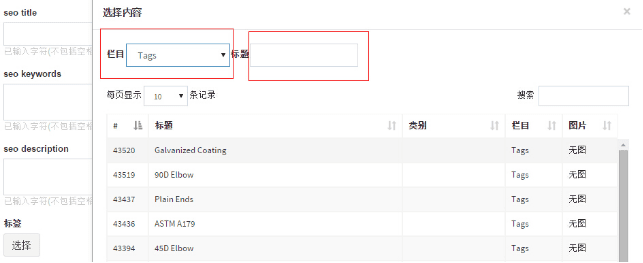
需要注意的是:tags的编辑是一劳永逸的工作,因为很多产品是共享某种属性的(比如材质、尺寸等),所以tagsAfter editing, it can be used all the time. Therefore, the editors in the early stage are required to be careful and professional, so as to facilitate the later work.
需要注意的是:tags的编辑是一劳永逸的工作,因为很多产品是共享某种属性的(比如材质、尺寸等),所以tagsAfter editing, it can be used all the time. Therefore, the editors in the early stage are required to be careful and professional, so as to facilitate the later work.