Display background color and foreground color is not high enough contrast
Make sure that all text elements have sufficient color contrast between the foreground text and the background color.
Guidelines for success: Make sure that the color contrast ratio is at least 4.5:1 for small text and 3:1 for large text, even if the text is part of an image. Depending on the requirements, large text is defined as 18pt(24 CSS pixels) or 14pt bold text (19 CSS pixels). Note: If an element is found to have a color contrast ratio of 1:1, the element will be considered "incomplete" and will need to be manually reviewed.
Some people with low vision experience low contrast, which means there are not many bright or dark areas. All objects tend to exhibit the same brightness, which makes it difficult to distinguish between contours, borders, edges, and details. Text that is too close in brightness to the background may be difficult to read.
The number of people with low vision is almost three times the number of people who are completely blind. One in 12 people cannot see the full spectrum of colors-about 8 percent of men and 0.4 percent of women in the United States. People with low vision or color blindness cannot distinguish text in the background when the contrast is not enough.
The transparency and opacity of the color are taken into account in the background.
Color transparency and opacity in the foreground are more difficult to consider and deal with because:
- The foreground and background are the same color.
- CSS background gradient.
- The background color in the CSS pseudo-element.
- The background color created with the CSS border.
- Overlapping with another element in the foreground-sometimes this comes up because of tricky positioning.
- The element is moved out of the viewport via CSS.
Open the Adobe Color Assist Tool https://color.adobe.com/zh/create/color-contrast-analyzer
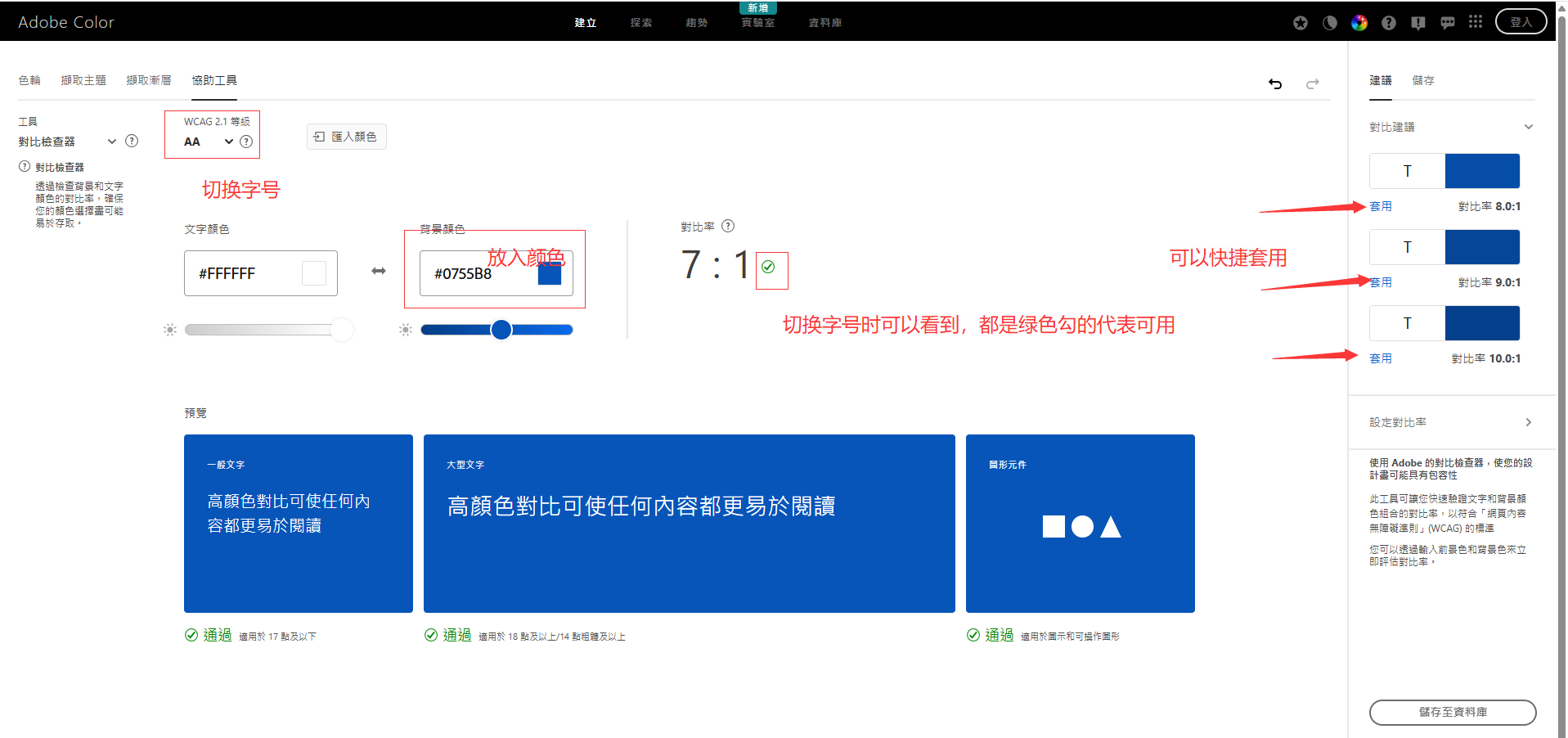
Set the text color and background color as shown
https://dequeuniversity.com/rules/axe/4.11/color-contrast?lang=zh